> ## Documentation Index
> Fetch the complete documentation index at: https://docs.zeal.com/llms.txt
> Use this file to discover all available pages before exploring further.
# Tax Requirements
> Tax requirements are documents that an employer must submit in order for Zeal to properly pay and report taxes on their behalf. Which documents an employer must submit depends on the state(s) and localities in which they have employees. Thankfully, these requirements can be easily tracked and submitted with Zeal.
## In this guide
* How to view a companies outstanding requirements.
* How to submit tax requirements.
* How to embed the Taxes page in your application.
***
## Viewing tax requirements
### Requirements on the Company Object
Zeal's system automatically tracks the tax requirements for an employer and updates the `requirements` field of their [Company Object](/reference/companies/the-company-object) when new documents should be submitted.
Call [Get Company Information](/reference/companies/get-company-information).
```bash bash theme={null}
curl --request GET \
--url https://api.zeal.com/companies \
--header 'accept: application/json'
```
This will return a JSON object containing a `requirements` field.
```bash bash theme={null}
{
"success": true,
"data": {
// ...
"requirements": [
{
"companyID": "1234567890",
"type": "state_payroll_tax_number",
"state": "AZ",
"id": "33472873692",
"name": "State Payroll Tax No. required",
"description": "John Doe is working in AZ for which the state payroll number has not been submitted.",
"deadline": null
},
{
"companyID": "1234567890",
"type": "local_number",
"state": "PA",
"name": "Local or Miscellaneous Tax Information Required",
"description": "You are employing employee(s) that are working in PA for which the Local/Miscellaneous Tax Information has not been submitted (LIT_PA_LST_PENN-TRAFFORD_SD)."
}
]
}
}
```
### Alerts on the Taxes page
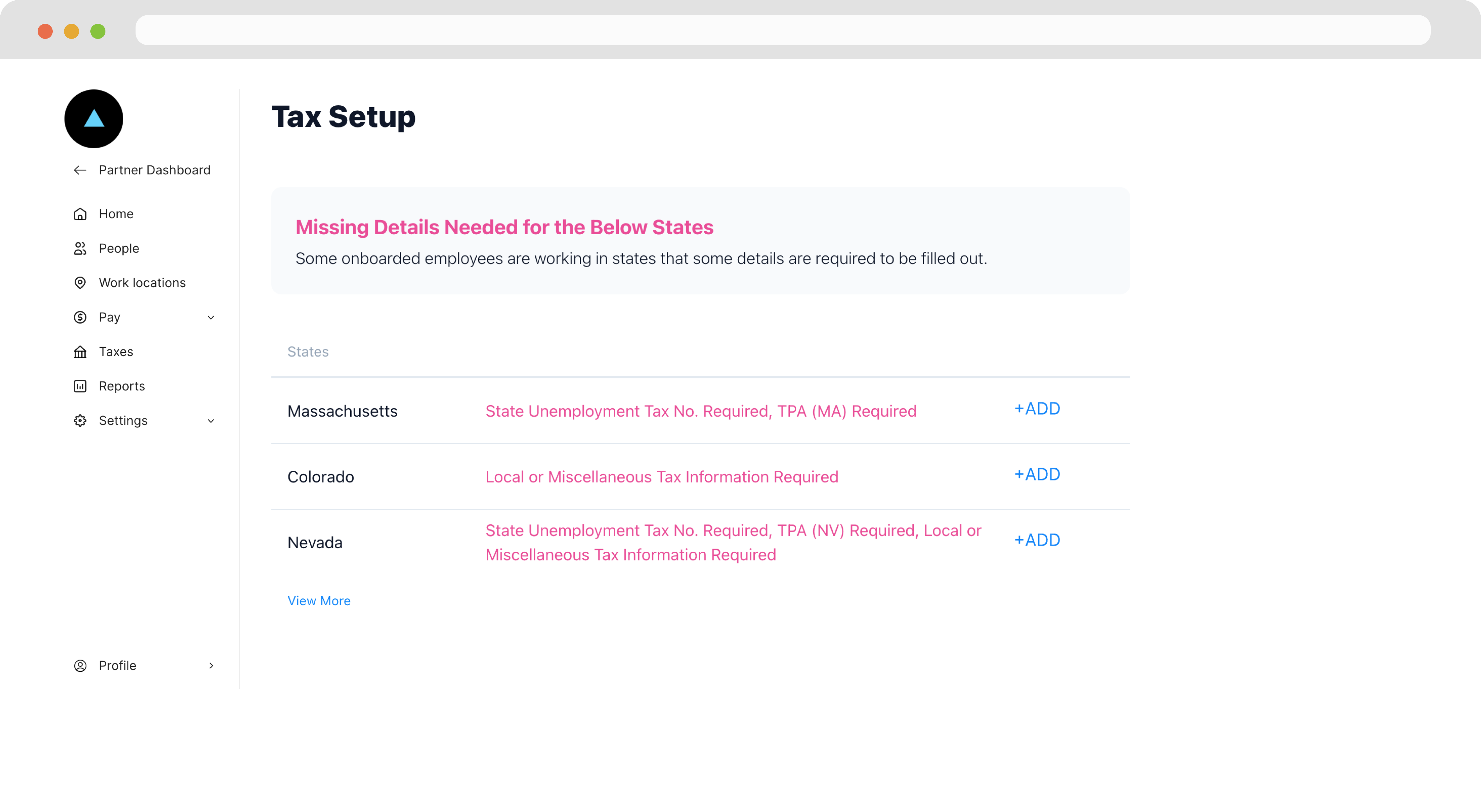
On the Taxes page, an alert appears for any missing requirements.
 ## Submitting tax requirements
### Admin/Employer Dashboard
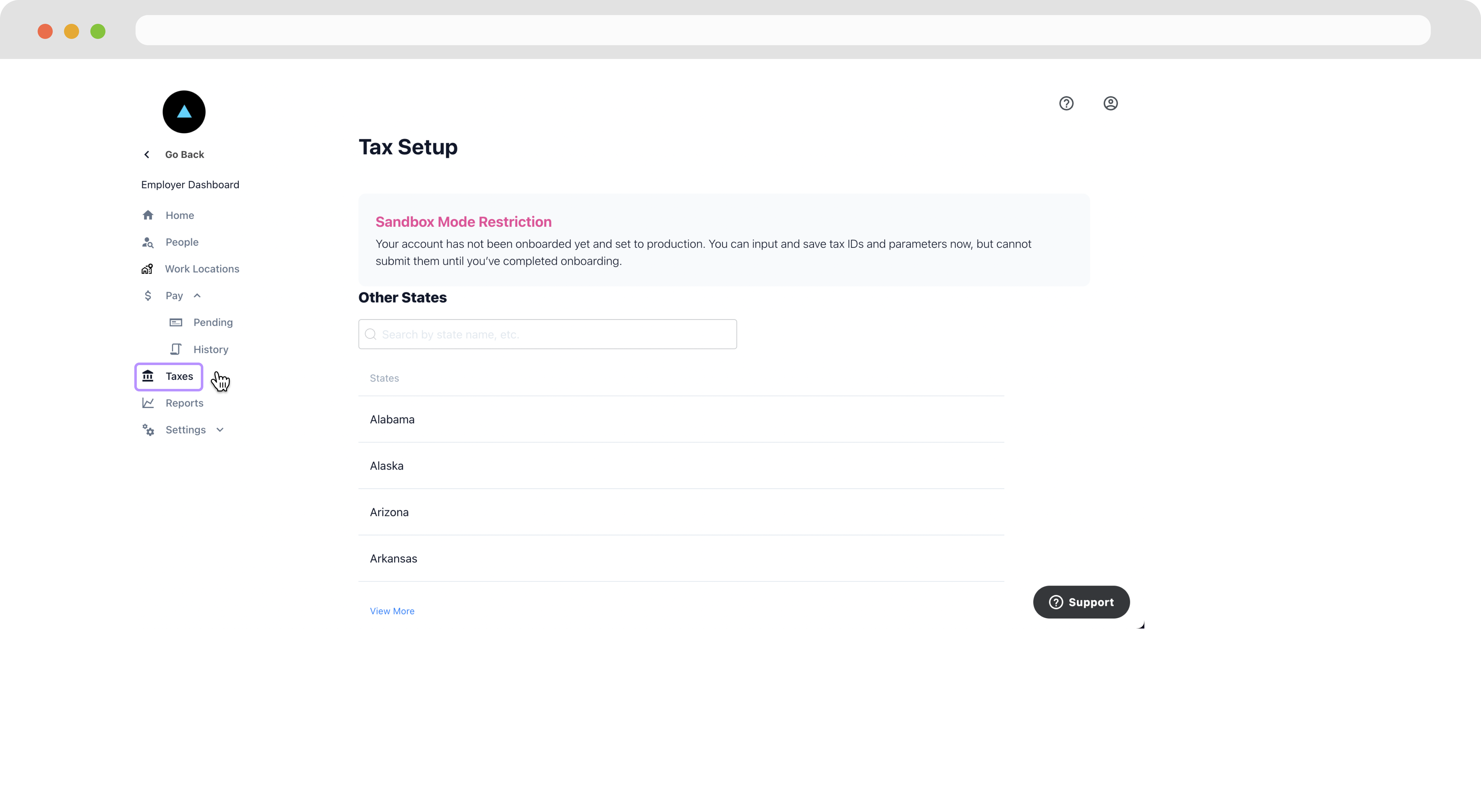
If you are using our white-label Company Dashboard, employers can access their tax requirements through the Taxes page.
Navigate to the **Taxes** page.
## Submitting tax requirements
### Admin/Employer Dashboard
If you are using our white-label Company Dashboard, employers can access their tax requirements through the Taxes page.
Navigate to the **Taxes** page.
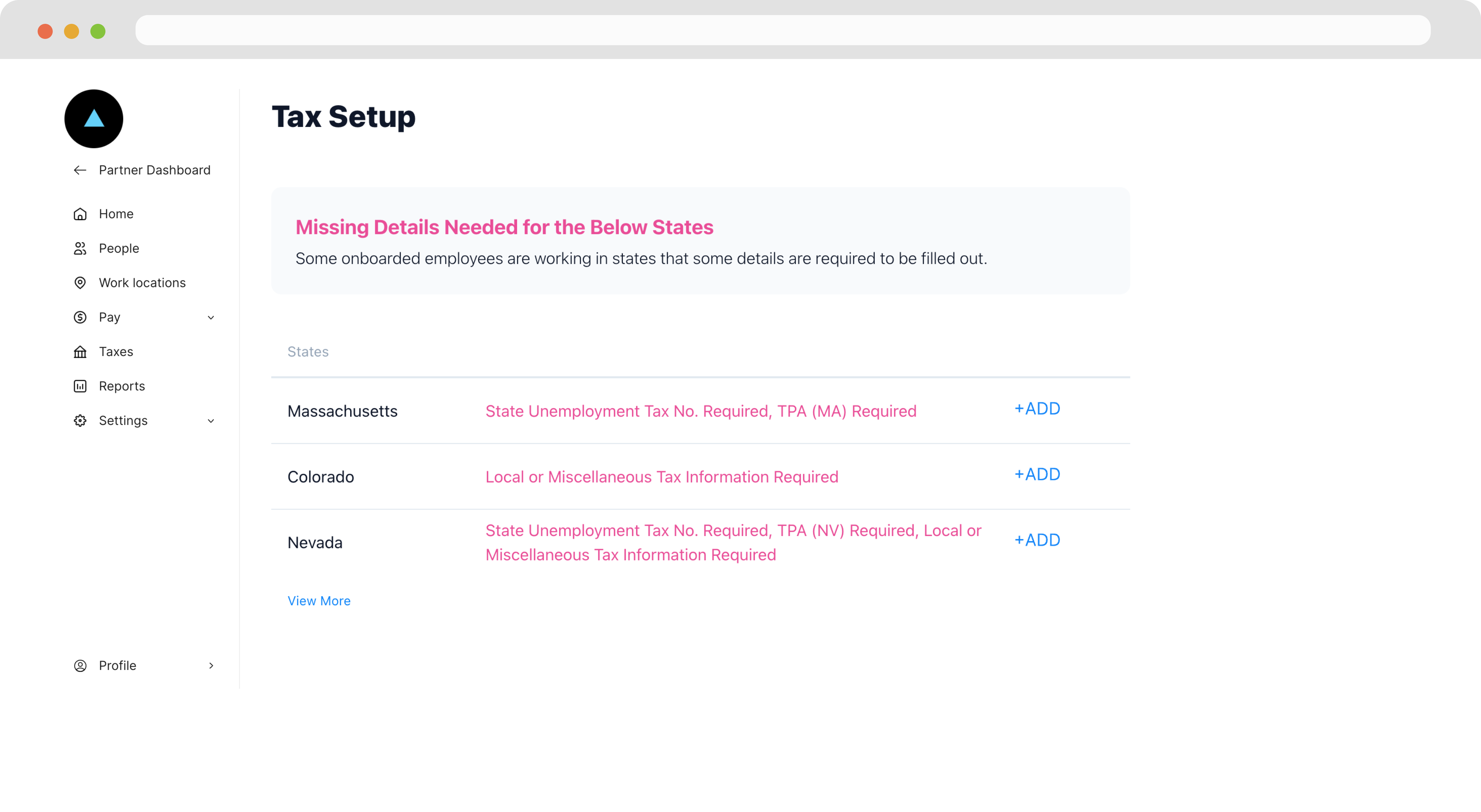
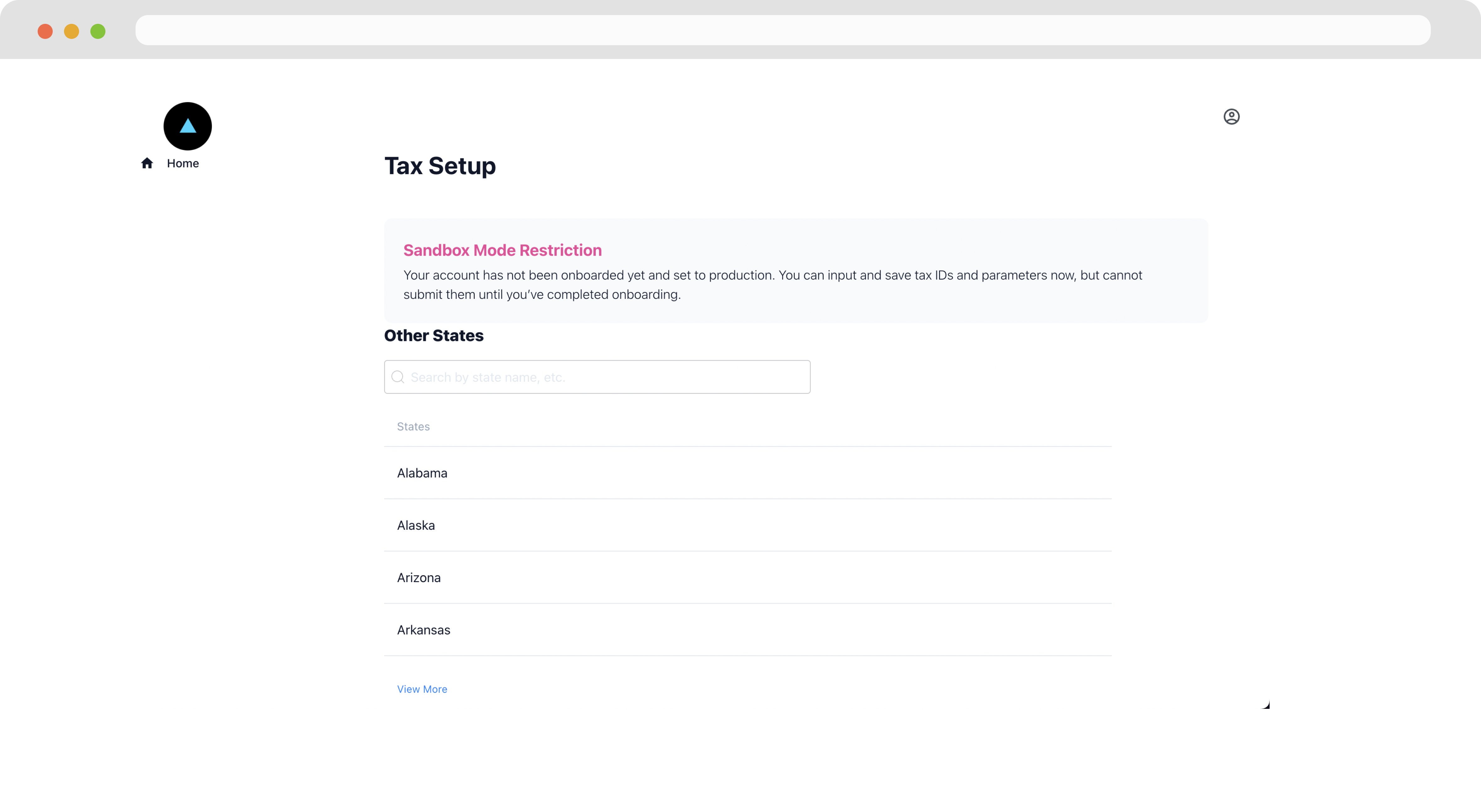
 At the top of the page, employers can see any missing requirements
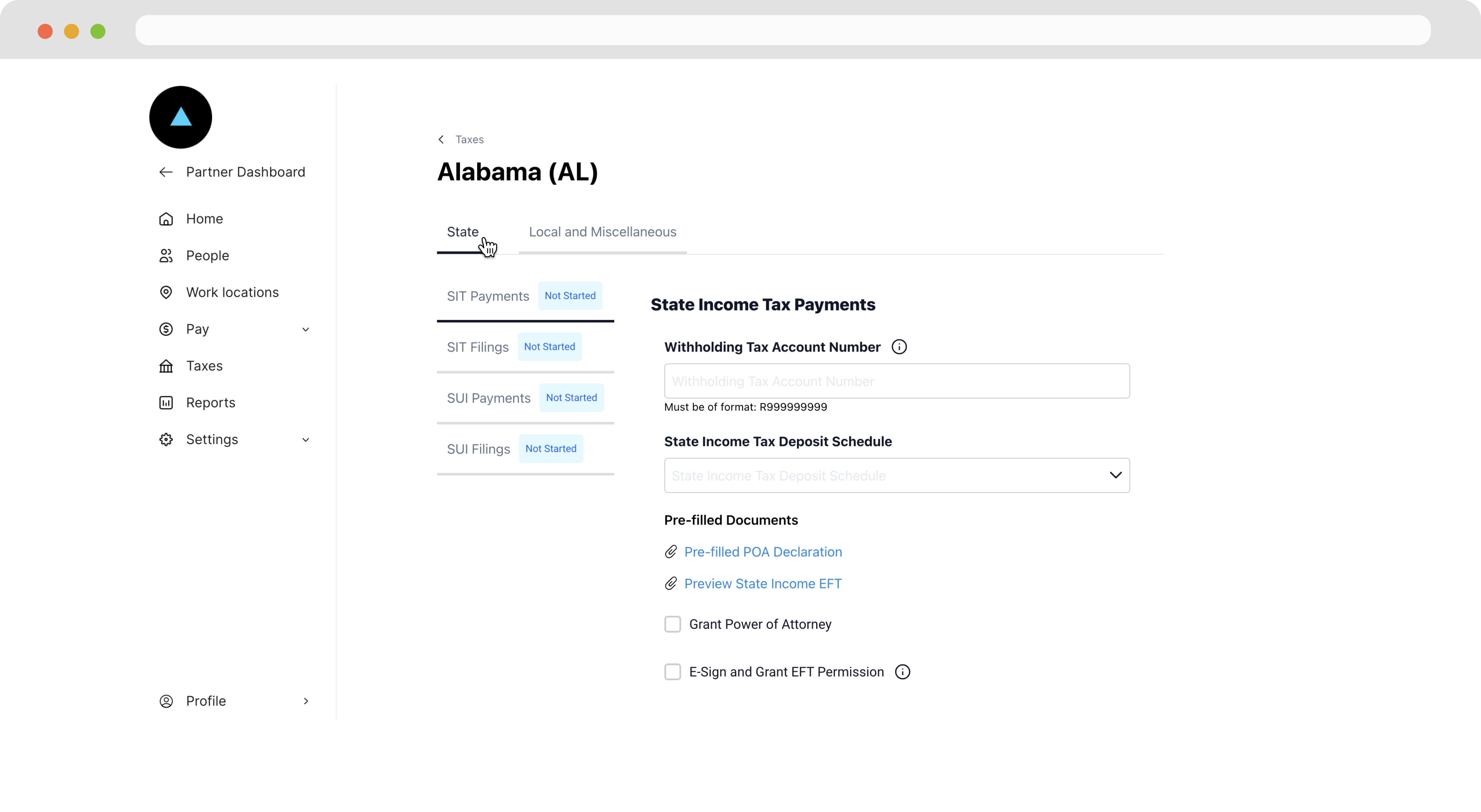
 Employers can also search by state and locality to proactively submit tax requirements.
 ### Embedding the Taxes Page
If you've built your own custom dashboards using our APIs, you can embed the Taxes component directly in your dashboard.
Call [Generate Employer Taxes Page Link](/reference/zeal-components/generate-company-taxes-page-link)
```bash bash theme={null}
curl --request POST \
--url https://api.zeal.com/authLinks/taxes \
--header 'Accept: application/json' \
--header 'Authorization: Bearer {{testApiKey}}' \
--header 'Content-Type: application/json' \
--data '
{
"partnerID": "{{partnerID}}",
"companyID": "{{companyID}}"
}
'
```
Embed the link in your application through and iframe or open it up in a new tab.
### Embedding the Taxes Page
If you've built your own custom dashboards using our APIs, you can embed the Taxes component directly in your dashboard.
Call [Generate Employer Taxes Page Link](/reference/zeal-components/generate-company-taxes-page-link)
```bash bash theme={null}
curl --request POST \
--url https://api.zeal.com/authLinks/taxes \
--header 'Accept: application/json' \
--header 'Authorization: Bearer {{testApiKey}}' \
--header 'Content-Type: application/json' \
--data '
{
"partnerID": "{{partnerID}}",
"companyID": "{{companyID}}"
}
'
```
Embed the link in your application through and iframe or open it up in a new tab.
 ***
## Recap
* Tax requirements are documents that an employer must submit in order for Zeal to properly pay and report taxes on their behalf.
* Tax requirements can be view under the `requirements` field of the [Company Object](/reference/companies/the-company-object) or from the **Taxes** page.
* Tax requirements can be submitted through the **Taxes** page.
* The **Taxes** page is included in the Employer Dashboard, but can also be embedded in your application as a stand-alone component.
***
## Recap
* Tax requirements are documents that an employer must submit in order for Zeal to properly pay and report taxes on their behalf.
* Tax requirements can be view under the `requirements` field of the [Company Object](/reference/companies/the-company-object) or from the **Taxes** page.
* Tax requirements can be submitted through the **Taxes** page.
* The **Taxes** page is included in the Employer Dashboard, but can also be embedded in your application as a stand-alone component.