> ## Documentation Index
> Fetch the complete documentation index at: https://docs.zeal.com/llms.txt
> Use this file to discover all available pages before exploring further.
# Company Onboarding
> A key piece of the payroll solution is company onboarding. Companies must submit basic company information, bank account details, and legal paperwork that Zeal uses to run payroll on their behalf. For Partners building an internal payroll solution, onboarding can be done directly from the Partner Dashboard. However, for Partners that want to sell their payroll product to companies, company onboarding should be integrated within the solution.
## In this guide
* How to create a Company.
* How to verify microdeposits.
* How to gather legal documents.
* How to onboard a company with the white-label Company Onboarding component.
***
## API
The first step to onboarding a company using the API is to create a Company. A Company is what Zeal uses to represent an company's data.
### Create a Company
Call [Create Company](/reference/companies/create-company).
### Note
Remember to replace the placeholders such as `{{testApiKey}}` in the code samples below.
```bash bash theme={null}
curl --location --request POST 'https://api.zeal.com/companies'
--header 'Accept: application/json' \
--header 'Content-Type: application/json'
--header 'Authorization: Bearer {{testAPIKey}}'
--data-raw '{
"partnerID": "{{partnerID}}",
"first_name": "Richard",
"last_name": "Hendricks",
"email": "[email protected]",
"business_name": "Pied Piper",
"business_ein": "12-3456789",
"business_address": "5941 Newell Rd.",
"business_city": "Palo Alto",
"business_state": "CA",
"business_zip": "94303",
"business_phone": "6504441234",
"skip_migration": true
}'
```
### Create a Bank Account
Next we need to submit the bank account that Zeal will use to fund payroll.
Call [Create Company Bank Account](https://docs.zeal.com/reference/create-company-bank-account-beta).
Make sure the `routing_number` is a valid routing number in the United States.
```bash bash theme={null}
curl --location --request POST 'https://api.zeal.com/companies/bank'
--header 'Accept: application/json' \
--header 'Content-Type: application/json'
--header 'Authorization: Bearer {{testAPIKey}}'
--data-raw '{
"companyID": "{{companyID}}",
"account_number": "123456789",
"routing_number": "123456789",
}'
```
### Verify microdeposits
For payroll processing, we need to verify the company's bank account through microdeposits.
Call [Trigger Microdeposits](/reference/company-onboarding/trigger-microdeposits) to send the microdeposits to the company's bank account.
```bash bash theme={null}
curl --location --request POST 'https://api.zeal.com/companies/microdeposits/trigger'
--header 'Accept: application/json' \
--header 'Content-Type: application/json'
--header 'Authorization: Bearer {{testAPIKey}}'
--data-raw '{
"companyID": "{{companyID}}",
}'
```
The microdeposits should appear in the company's bank account within 2-3 business days. Collect the deposit amounts from the company and call [Verify Microdeposit Values](/reference/company-onboarding/verify-microdeposit-values).
```bash bash theme={null}
curl --location --request POST 'https://api.zeal.com/companies/microdeposits/verify'
--header 'Accept: application/json' \
--header 'Content-Type: application/json'
--header 'Authorization: Bearer {{testAPIKey}}'
--data-raw '{
"companyID": "{{companyID}}",
"deposits": [
"0.14",
"0.09"
]
}'
```
With the bank account added and verified, you can move to the next step.
### Gather documents
For Zeal to legally process payroll for a company, we require authorization documents.
Call [Get Company Authorization Documents](/reference/company-onboarding/get-company-authorization-documents) to get links to the documents which must be signed.
```bash bash theme={null}
curl --location --request GET 'https://api.zeal.com/companies/authorization_documents?companyID={{companyID}}&document_key=all'
--header 'Accept: application/json' \
--header 'Content-Type: application/json'
--header 'Authorization: Bearer {{testAPIKey}}'
```
Use the links returned to present the documents to the company. Gather their signature for the documents as a base64 string, then call [Sign Company Authorization Documents](/reference/company-onboarding/create-company-authorization-documents).
```bash bash theme={null}
curl --location --request POST 'https://api.zeal.com/companies/authorization_documents'
--header 'Accept: application/json' \
--header 'Content-Type: application/json'
--header 'Authorization: Bearer {{testAPIKey}}'
--data-raw '{
"companyID": "{{companyID}}",
"document_key": "all",
"signature": "iVBORw23goAAAANSUhEUgAAAtsAAABdCAYAAAB0BqpEAAABRmlDQ1BJQ0MgUHJvZmlscccKJFjYGASSSwoyGFhYGDIzSspCnJ3UoiIjFJgf8bAwiDLwMfAxSCYmFxc4BgQ4ANUwgCjUcG3awyMIPqyLsispF"
}'
```
With the documents signed and submitted, you can proceed to the final step.
### Update the onboarded status
Lastly, we need to update the onboarded status of the company. Zeal will perform internal checks to ensure that the company can be onboarded.
Call [Set Company Onboarded Status to True](/reference/company-onboarding/set-company-status-to-onboarded).
```bash bash theme={null}
curl --location --request POST 'https://api.zeal.com/companies/onboardCompany'
--header 'Accept: application/json' \
--header 'Content-Type: application/json'
--header 'Authorization: Bearer {{testAPIKey}}'
--data-raw '{
"companyID": "{{companyID}}",
}'
```
***
## White-Label
Onboarding companies through Zeal's white-label Company Onboarding component reduces complexity and cuts down on developer work.
### Pre-fill company profile information (optional)
In some cases, you may prefer to pre-fill the company profile information with details already collected. This helps reduce friction and provides a better experience for the company.
Call [Create Company](/reference/companies/create-company) to submit the company information. This will return a JSON object representing the Company data.
### Note
Remember to replace the placeholders such as `{{testApiKey}}` in the code samples below.
```bash bash theme={null}
curl --location --request POST 'https://api.zeal.com/companies'
--header 'Accept: application/json' \
--header 'Content-Type: application/json'
--header 'Authorization: Bearer {{testAPIKey}}'
--data-raw '{
"partnerID": "{{partnerID}}",
"first_name": "Richard",
"last_name": "Hendricks",
"email": "[email protected]",
"business_name": "Pied Piper",
"business_ein": "12-3456789",
"business_address": "5941 Newell Rd.",
"business_city": "Palo Alto",
"business_state": "CA",
"business_zip": "94303",
"business_phone": "6504441234",
"skip_migration": true
}'
```
Get the `companyID` from the returned data and include it in the next step.
### Onboarding Flow
Call [Get Company Onboarding Link](/reference/companies/get-company-onboarding-link). This returns a link to the white-label component.
### Note
If you previously created the company and want Zeal to pre-fill the first section of the onboarding flow, add the `companyID` as a query parameter in the call below.
```bash bash theme={null}
curl --request GET \
--url 'https://api.zeal.com/companies/onboard?partnerID={{partnerID}}' \
--header 'Accept: application/json' \
--header 'Authorization: Bearer {{testApiKey}}'
```
Give the company access to the link. Generally our partners chose to include the link in their application or display the component directly within an iframe.
```bash bash theme={null}
Click to begin payroll onboarding!
```
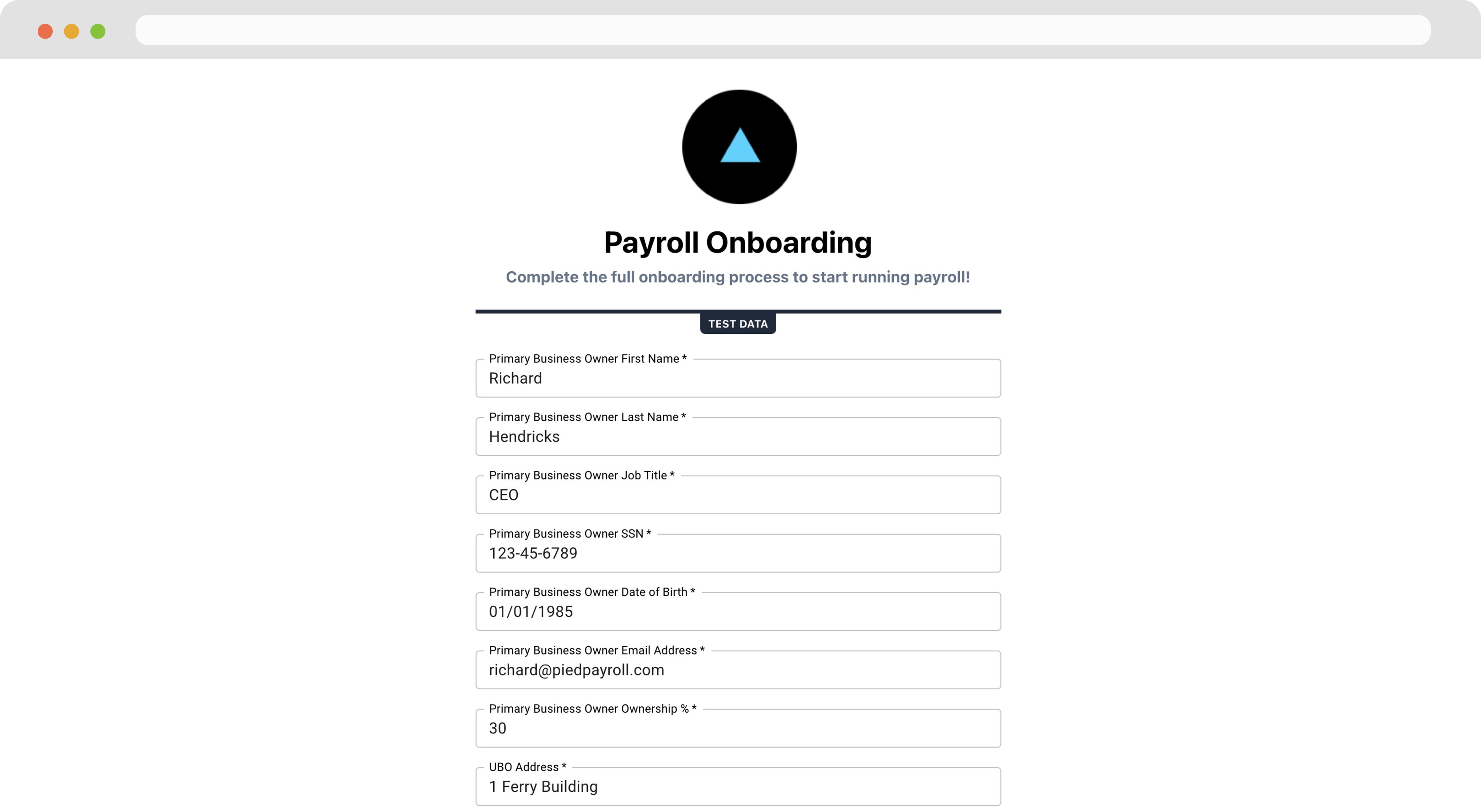
When the company accesses the link and they see the white-label component on your domain with your logo. First, the company completes the **Profile Information** section.
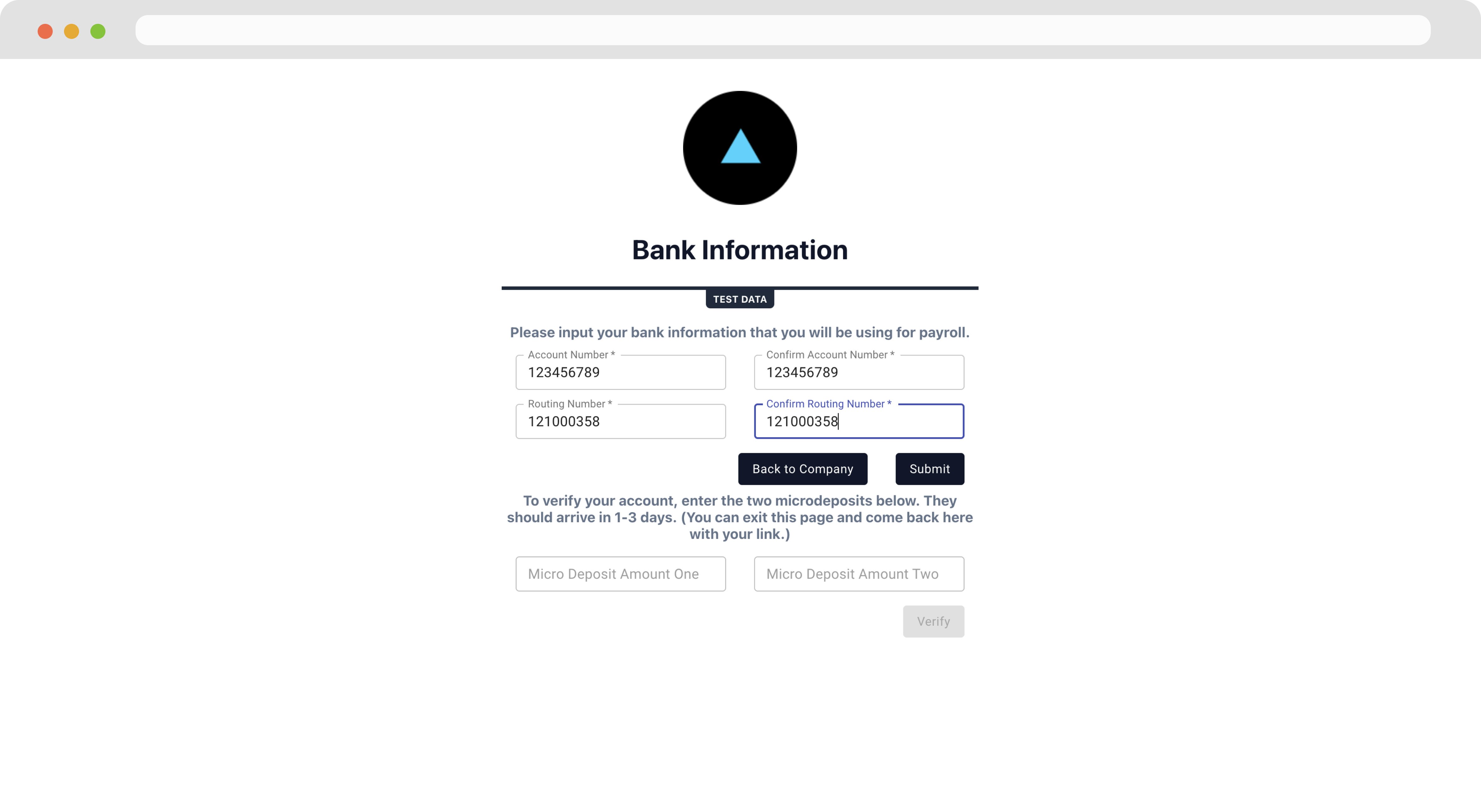
 Next, the company completes the **Bank Verification**. This step requires a micro-deposit flow where two small deposits are made to the company's bank account. The company will leave the onboarding flow and return later to confirm the deposit amount. The micro-deposit flow generally takes 1 - 3 days.
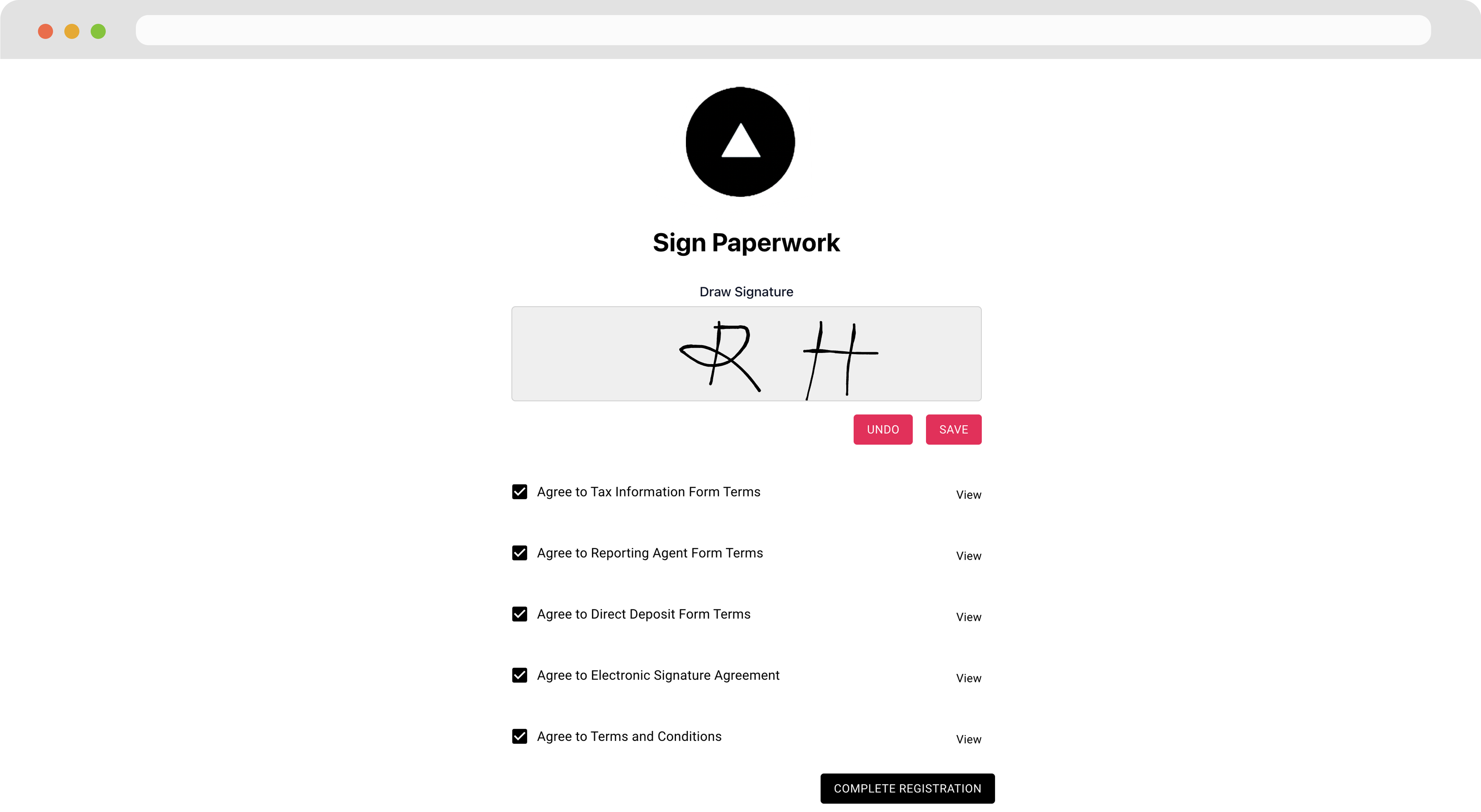
 Finally in the **Paperwork** section, the company signs and agrees to the documents Zeal needs to process payroll.
 ### Note
When the company onboarding flow is completed successfully, Zeal sends this company's information to the webhook you've set for the [Company Onboarding Event](/reference-link/employer-onboarding-event).
***
## Recap
* To onboard a company, company information, bank account, and legal paperwork need to be submitted.
* Bank accounts must be verified through a microdeposit flow which can take up to 2-3 business days.
* Authorization documents must be signed for Zeal to legally begin processing payroll for the company.
* Companies can complete onboarding through the Company Onboarding component.
### Note
When the company onboarding flow is completed successfully, Zeal sends this company's information to the webhook you've set for the [Company Onboarding Event](/reference-link/employer-onboarding-event).
***
## Recap
* To onboard a company, company information, bank account, and legal paperwork need to be submitted.
* Bank accounts must be verified through a microdeposit flow which can take up to 2-3 business days.
* Authorization documents must be signed for Zeal to legally begin processing payroll for the company.
* Companies can complete onboarding through the Company Onboarding component.