> ## Documentation Index
> Fetch the complete documentation index at: https://docs.zeal.com/llms.txt
> Use this file to discover all available pages before exploring further.
# Contractor Payments
> Contractor payments are rather simple as there are no taxes for the employer to pay and the contractor is responsible for paying their own taxes.
## In this guide
* How to create a contractor payment through the API.
* How to create a contractor payment through the white-label Employer Dashboard.
***
## API
Call [Create Contractor Payment](/reference/contractor-payments/create-contractor-payment).
### Note
Remember to replace the placeholders such as `{{testApiKey}}` in the code samples below.
```bash bash theme={null}
curl --request POST \
--url https://api.zeal.com/contractorPayment \
--header 'Accept: application/json' \
--header 'Authorization: Bearer {{testApiKey}}' \
--header 'Content-Type: application/json' \
--data '
{
"approval_required": false,
"companyID": "{{companyID}}",
"contractorID": "{{contractorID}}",
"pay_date": "2022-01-15",
"amount": 2000,
}
'
```
With the Contractor Payment in the system, it will automatically be batched and processed by Zeal.
***
## White-Label
### Access the Company Dashboard
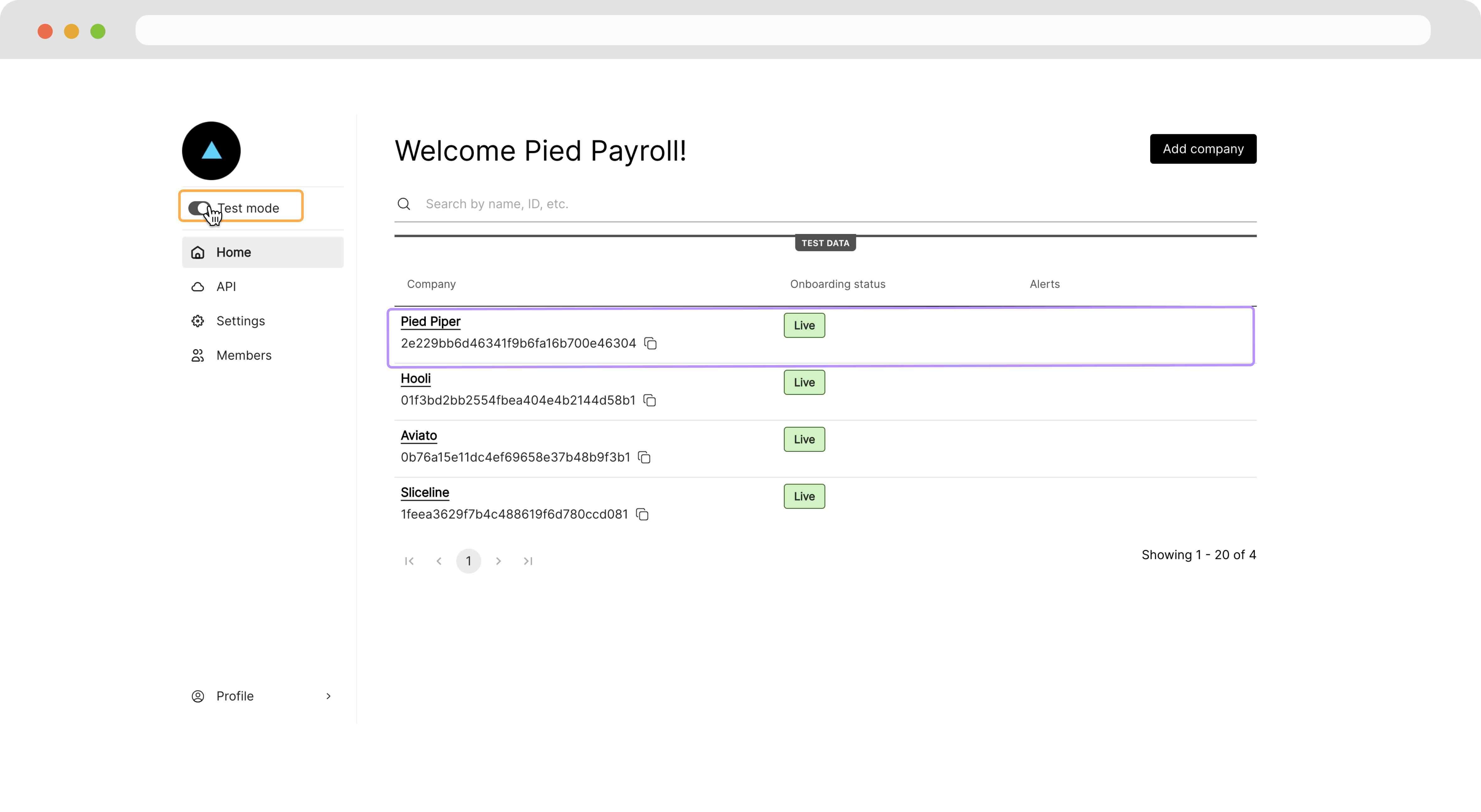
Navigate to your Partner Dashboard and ensure that **Test Mode** is enabled. Then, click on a company to access the Company Dashboard as an Admin.
 ### Create a Contractor Payment
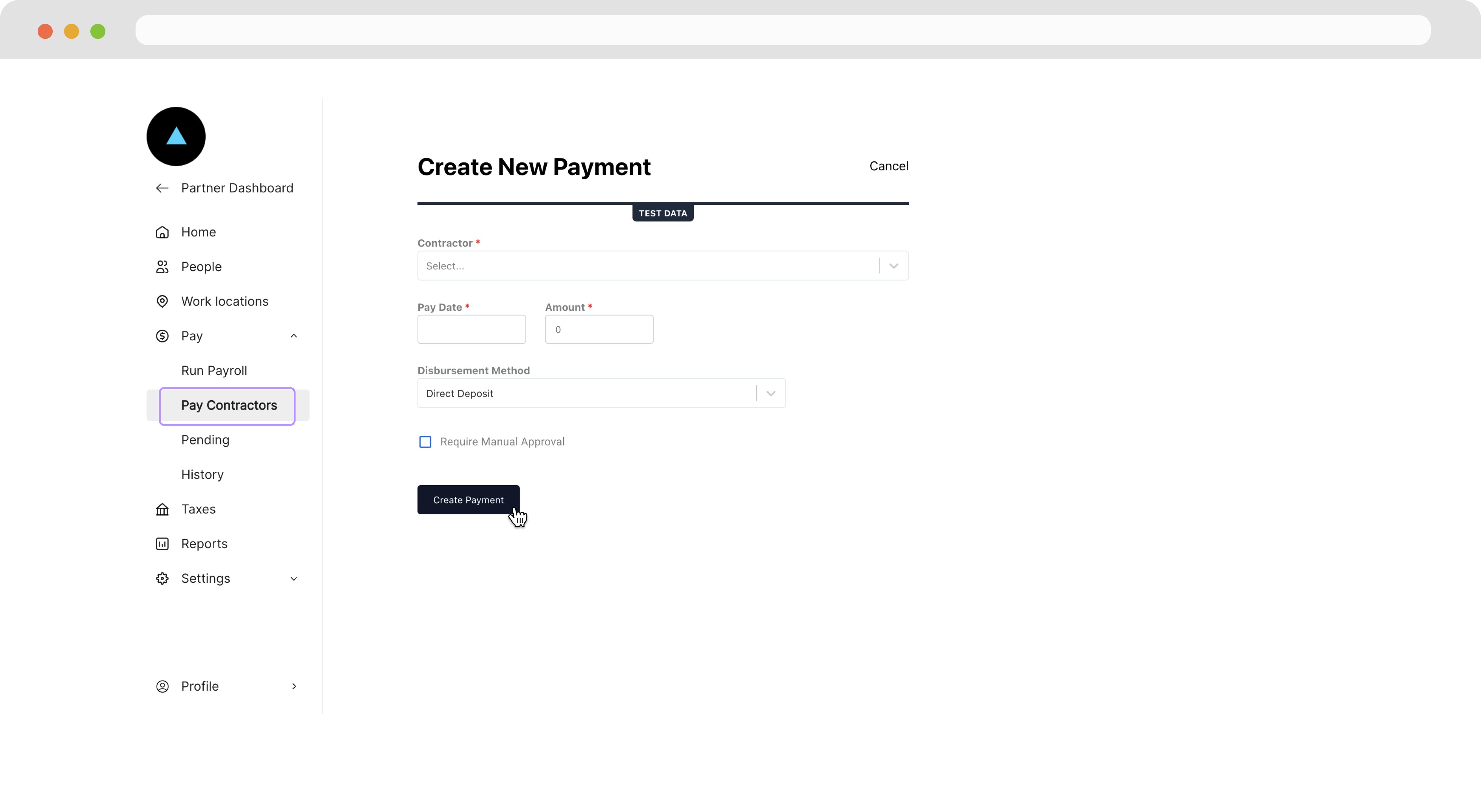
Navigate to **Pay Contractors** and fill the details of the contractor payment and then click **Create Payment**.
### Create a Contractor Payment
Navigate to **Pay Contractors** and fill the details of the contractor payment and then click **Create Payment**.
 With the Contractor Payment in the system, it will automatically be batched and processed by Zeal.
***
## Recap
* Contractor Payments are much simpler than Employee Checks and only really need an `amount` and `pay_date`.
* You can create a Contractor Payment with the [Create Contractor Payment](/reference/contractor-payments/create-contractor-payment) endpoint.
* You can create a Contractor Payment from the Company Dashboard.
* Once Contractor Payments are submitted, they will automatically be processed by Zeal.
With the Contractor Payment in the system, it will automatically be batched and processed by Zeal.
***
## Recap
* Contractor Payments are much simpler than Employee Checks and only really need an `amount` and `pay_date`.
* You can create a Contractor Payment with the [Create Contractor Payment](/reference/contractor-payments/create-contractor-payment) endpoint.
* You can create a Contractor Payment from the Company Dashboard.
* Once Contractor Payments are submitted, they will automatically be processed by Zeal.